hal0’s configuration lives as plain TOML under /etc/hal0 (or
$HAL0_HOME/etc/hal0 if you set HAL0_HOME). The directory is
preserved across updates — the updater only swaps code, never your
config. The hal0 config CLI is a thin layer over the same files and the
running daemon; most subcommands are simple wrappers over
GET/POST /api/settings/*.
The files under /etc/hal0
| File | What it holds |
|---|---|
hal0.toml |
Top-level config: [meta] schema_version, [slots] policy, [dispatcher] prefetch tuning, [telemetry] channel, [models] roots/store, [memory] engine + [memory.graph] extraction, [activity], [brain_chat], [security], [realtime] — all fields of the root Hal0Config model. The same file also carries [metrics] (sampling/retention tuning), read independently by its own small loader rather than through Hal0Config. |
upstreams.toml |
External/upstream provider routing — one [[upstream]] block per remote or local endpoint. |
providers.toml |
Provider credential references — env-var names, never plaintext secrets. |
profiles.toml |
Optional reusable backend/flag templates. Built-in seed profiles are always overlaid from code on load and never written back here, even if the file exists. |
stacks.toml |
The stack catalogue — bundles of slot configs you can apply as one unit. Managed via the dashboard//api/stacks, not config show/edit. |
slots/<name>.toml |
One file per slot — port, device (gpu-rocm|gpu-vulkan|gpu-cuda|cpu|npu), the slot’s hardware grid (n_gpu_layers, threads, binary, image_pin), profile reference, [model], [server], [npu], and (on the img slot) [image]. |
mcp-servers/<id>.toml |
One file per MCP server you’ve installed with hal0 mcp install. Mode 0600 — secrets live in its env block. |
Other files the runtime drops here: hardware.json (cached hardware
probe), manifest.json (release image pins), capabilities.toml
(persisted capability-slot selections).
Show and edit
hal0 config show            # hal0.toml (default)
hal0 config show upstreams
hal0 config show providers
Prints the file as it is on disk. Edit the same three files in $EDITOR
(falling back to $VISUAL, then vi) — if the file doesn’t exist yet,
it’s created with a valid skeleton first:
hal0 config edit
hal0 config edit upstreams
Validate before you reload
hal0 config validate
Loads and validates hal0.toml, upstreams.toml, and providers.toml
against the current Pydantic schema, and runs every slot file in
/etc/hal0/slots/ through the same typed load the daemon uses at boot.
A slot file the daemon would refuse (an undeclared key, an out-of-range
port) fails here too, named by file. It prints each problem and exits
non-zero on any failure.
Reload a running daemon
After editing, ask the live daemon to re-read its TOMLs without a full
restart:
hal0 config reload
This hits POST /api/settings/reload, which re-reads hal0.toml. It
does not touch upstreams.toml — but that’s fine for day-to-day use,
because hal0 upstream create/update/delete/advertise already
apply to the running daemon live, no reload or restart needed. A
restart is only required after a hand-edit of upstreams.toml outside
the CLI/API — see
Connect external providers.
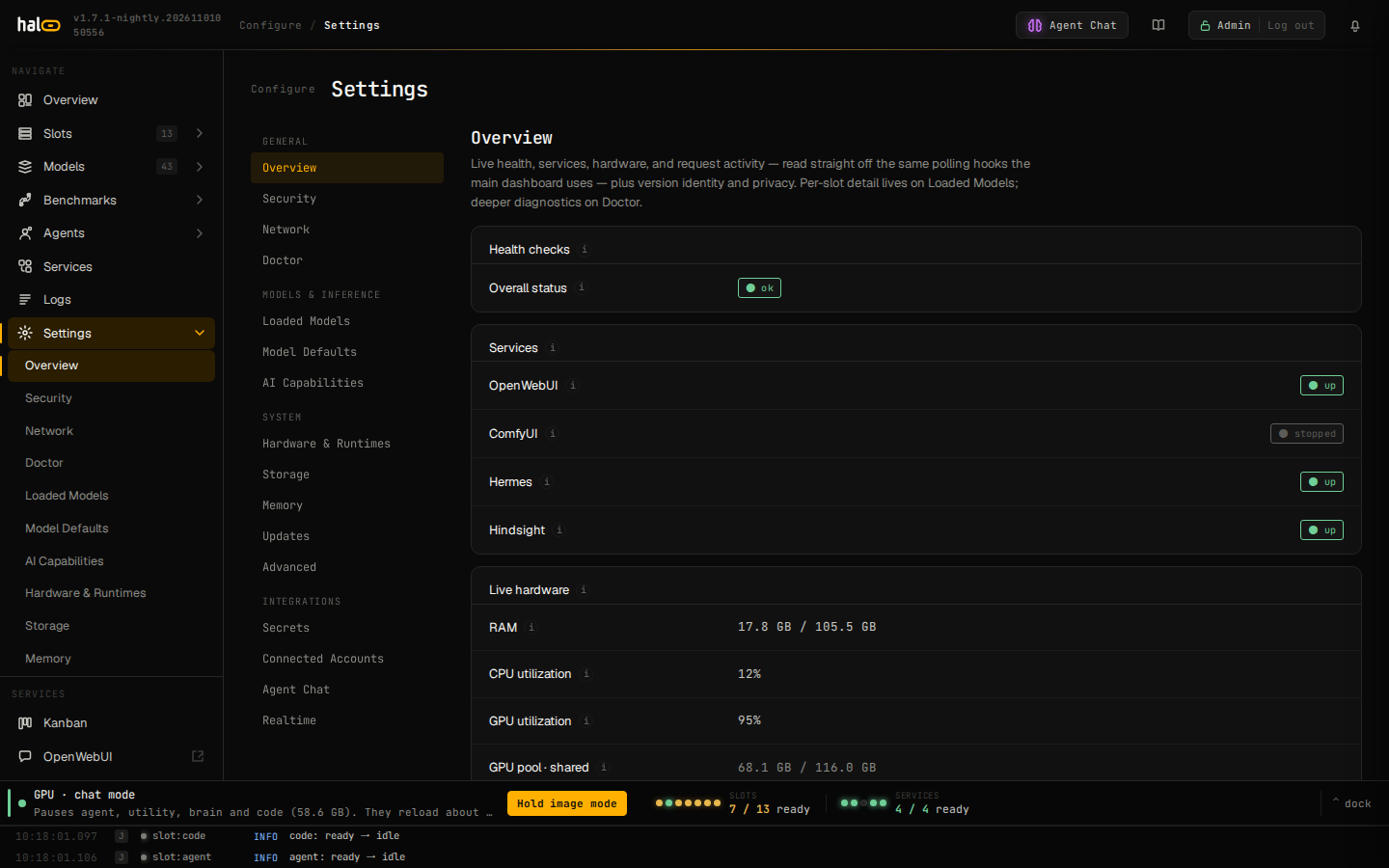
Settings page with live daemon status and reload controls.
Preview a change over the API
POST /api/settings/preview takes the same body as PUT /api/settings and
returns the diff that write would apply, without writing: changeset.changes[]
(path, before, after, kind, apply_class, services),
changeset.unknown, and apply_plan. PUT /api/settings returns the same
changeset under _hal0.changeset, computed by the same function. GET /api/settings/fields lists one row per operator-editable key with its
description, type, default, current value and apply class (apply_class).
Refresh the hardware probe
hal0 config hardware            # show the cached probe
hal0 config hardware --refresh  # force a fresh probe
Migrate the schema forward
hal0 config migrate
Reads meta.schema_version, runs the registered migration chain, and
atomically writes the result back only if the version actually
advanced. If the config is already current (or absent), nothing is
written.
Who owns which setting
A launch is described by three objects. A model row holds facts about its
file: path, architecture, native context window, chat template, multimodal
projector, and whether the file has MTP heads. A profile holds every tune:
free llama-server flags, ctx_size, enable_thinking, vision (auto or
off) and speculation (auto, off or ngram). A slot holds placement (device,
gpu_index, n_gpu_layers, threads, binary, image_pin) and names its
model and its profile. See
Slots for how the
launch command is assembled from the three.
A slot write that carries a tuning key is refused with
slot.tuning_key_denied: [model].context_size / ctx_size, parallel,
chat_template, workers, mtp, speculation, enable_thinking, vision, or
[server].extra_args. Set the window and flags with hal0 profile create|edit and point the slot at that profile. A slot file that still
carries one of those keys fails to load with slot.unconverted; delete the
keys from the file and put their values on a profile (hal0 config validate
names the file and the keys).
Launch flags are screened on the profile
A profile’s flags text is checked when the profile is saved (the HTTP route,
profile import and hal0 profile create|edit) and again at every launch. The
check refuses, in every spelling llama.cpp accepts:
- slot hardware flags (
-ngl/--n-gpu-layers,-dev/--device,
-t/--threads), which belong on the slot (slot.hardware_flag_denied); - hal0-managed flags (
--model,--host,--port,--alias,--ctx-size),
where the context window is the profile’sctx_sizefield
(slot.managed_arg_denied); - model-fact flags (
--jinja,--chat-template*,--mmproj,--no-mmproj,
and--spec-type, which follows the model’s drafter or MTP heads and the
profile’sspeculation), plus--spec-draft-deviceand--mmproj-device,
which hal0 sets from the model and the slot (profiles.model_fact_flag_denied); - host-owned flags: remote model fetches such as
-hfand--model-url, host
file reads and writes such as--api-key-fileand--log-file, and
listener, auth and TLS settings (slot.host_owned_flag_denied); - bare positional arguments (
slot.positional_arg_denied).
--reasoning-format none is handled separately, because upstream llama.cpp
answers every structured-output request with HTTP 400 when the server runs
with it. Any profile save whose flags contain it is rejected
(slot.reasoning_format_none_denied), even when the profile already stores
it, so remove it from flags to edit such a profile (a save that leaves
flags out still goes through). A profile that has it stored on disk is not
refused at launch: hal0 strips the pair from the command and launches without
it. To turn thinking off, set the profile’s enable_thinking to false: in
the dashboard Profiles page, with hal0 profile edit <name> --no-thinking, or
with PUT /api/profiles/{name}.
A slot’s [server].env is screened the same way: it may not set any
LLAMA_ARG_* variable, nor LLAMA_API_KEY, HF_TOKEN or
MTMD_BACKEND_DEVICE (slot.llama_env_denied), because llama.cpp reads each
of them as a launch option. Where a setting goes depends on the option:
- A tuning option that a profile may carry (cache types, batch sizes,
sampling, reasoning) goes in the profile’sflagsas its command-line flag,
not as aLLAMA_ARG_*variable. - An option the profile screen also refuses has no slot-level home. That
covers anything hal0 manages (--model,--ctx-size, …), the host-owned
flags above, and the placement hal0 derives from the slot’s device, such as
--mmproj-device(MTMD_BACKEND_DEVICE). LLAMA_API_KEYmaps to the host-owned--api-key, so slot authentication
cannot be set from a slot or a profile.HF_TOKENis not a slot setting. It is a credentialhal0-apireads for
model pulls; set it under Settings → Secrets in the dashboard or as
HF_TOKENin/etc/hal0/api.env.
Atomic writes
Every config write hal0 performs — config migrate, the settings API,
the updater’s hal0.previous record — uses a tempfile + os.replace
pattern so a write is either fully applied or not at all.
See also
- Configuration schema reference — every key in
hal0.tomland the per-slot files. - Manage slots — placement on the slot, and picking its model and profile.
- Update and roll back — how updates preserve
/etc/hal0. - Connect MCP servers — the
mcp-servers/<id>.tomlfiles.